Multitenant mode in Copilot Studio
Today I spent some time experimenting with the new multi‑tenant mode in Microsoft Copilot Studio (preview). This capability opens the door for scenarios where an agent needs to operate across organizational boundaries. In this blog, I’ll walk you through my test setup, what worked, what didn’t, and a few interesting surprises along the way.
🧪 Test Setup
To validate multi‑tenant mode, I used two environments:
- Host tenant: where the agent is created and published
- Test tenant: where the agent is consumed from Microsoft Teams
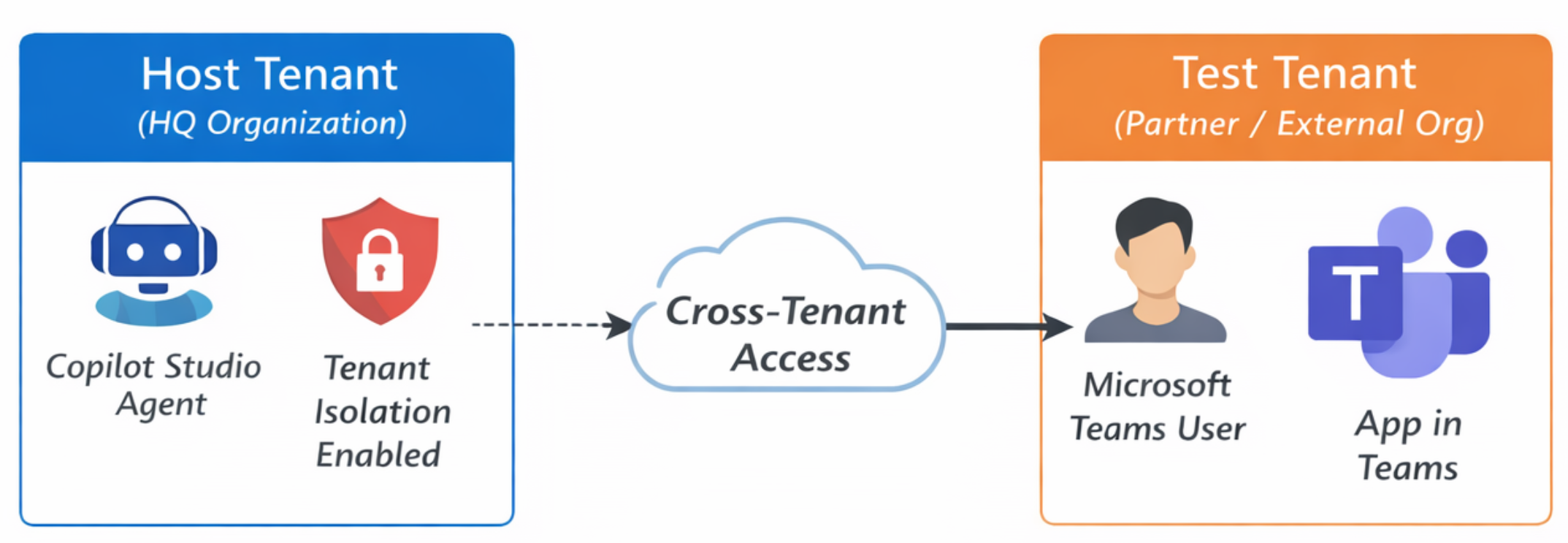
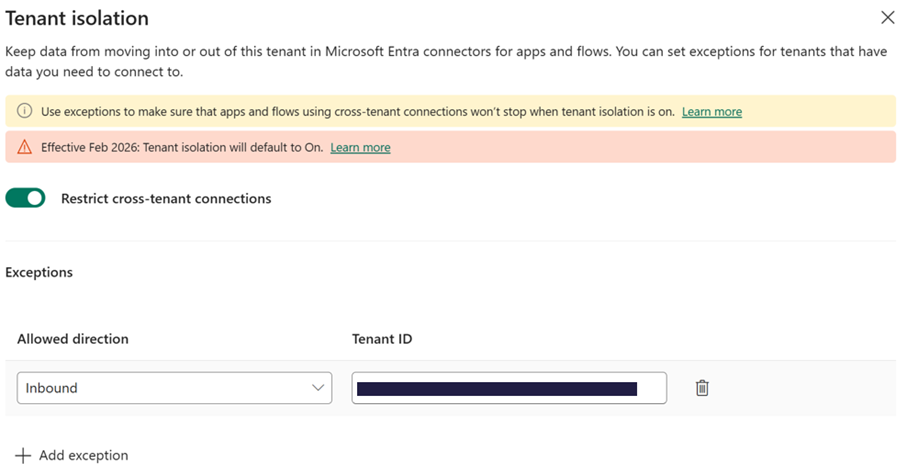
In the host tenant, tenant isolation was still turned on, but I configured an inbound exception to allow communication from the test tenant.
From the test tenant side, I logged in using a Teams administrator account.
⚙️ Creating a Multi‑Tenant Agent
I started by creating a fresh agent in Copilot Studio. Under Authentication, a new setting appears: Enable multi‑tenant support.
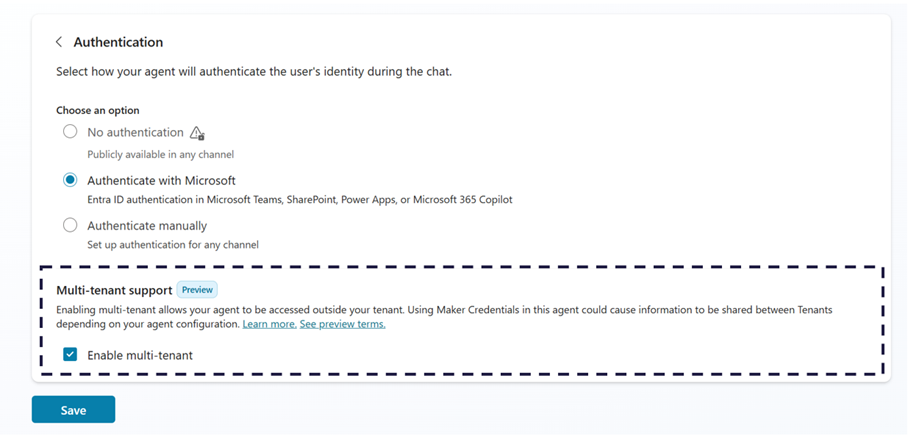
Interestingly, Microsoft’s documentation currently states that this setting is only available when tenant isolation is completely disabled. However, my experience proved otherwise: ➡️ The option does work when tenant isolation is enabled as long as an inbound exception is configured.
This is great news for organizations that want to maintain strict data boundaries without blocking cross‑tenant usage.
📣 Publishing to Microsoft Teams and Microsoft 365 Copilot
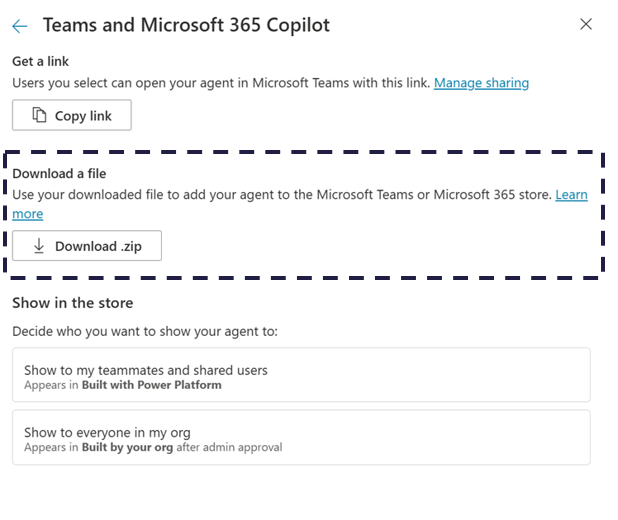
Next, I enabled publishing to Teams and Microsoft 365 Copilot.Through the availability options menu, Copilot Studio lets you download the app manifest for distribution.
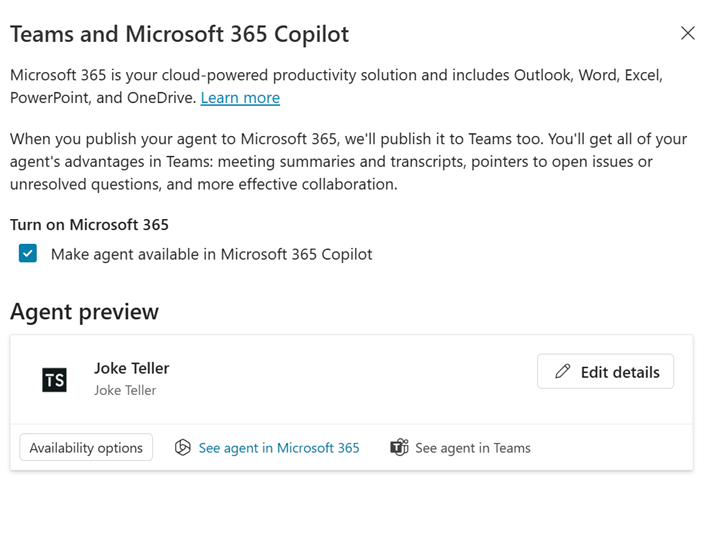
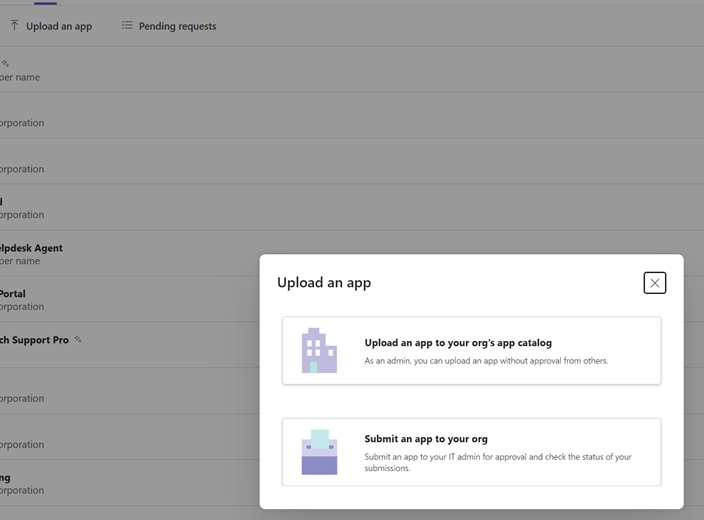
As a Teams admin, I uploaded the app directly into the organizational app catalog.
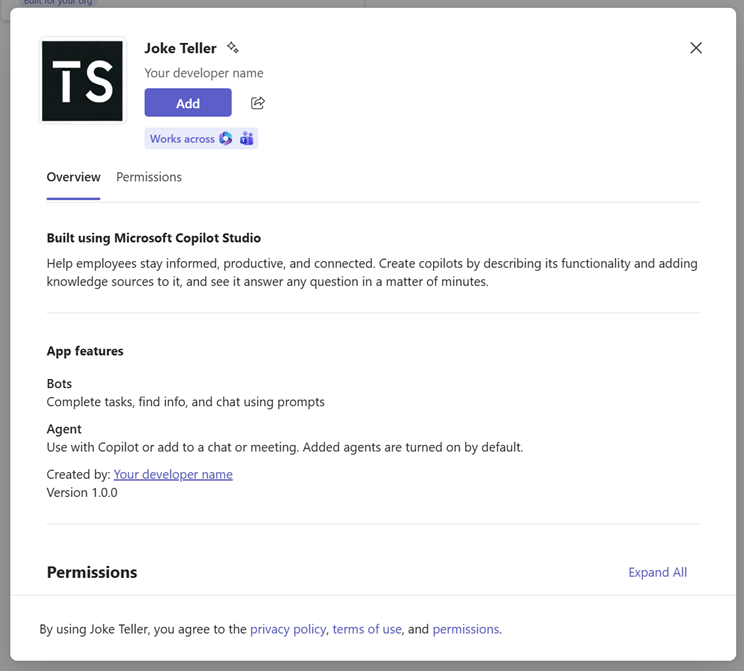
Once uploaded, the agent appeared immediately in Teams and could be added like any other custom app.
❌ First Run: “Access Denied”
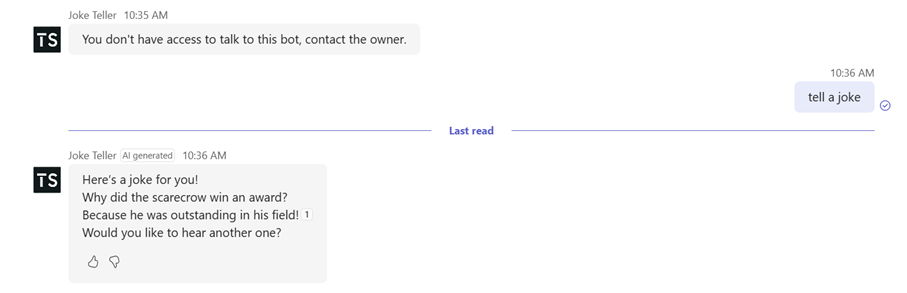
My first attempt to interact with the bot resulted in an error:
You don’t have access to talk to this bot, contact the owner.
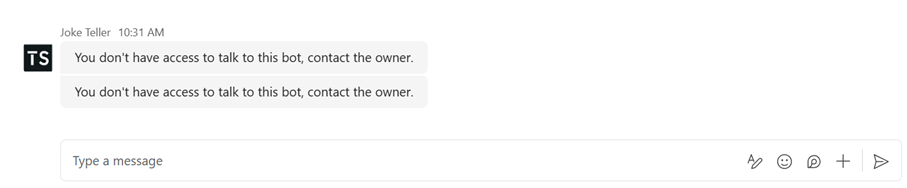
This made sense after I checked the agent’s sharing settings.
🔐 Fixing Access: Sharing the Agent
The agent wasn’t shared with the organization yet. Once I updated the sharing settings to grant Viewer permissions to everyone in the host organization…
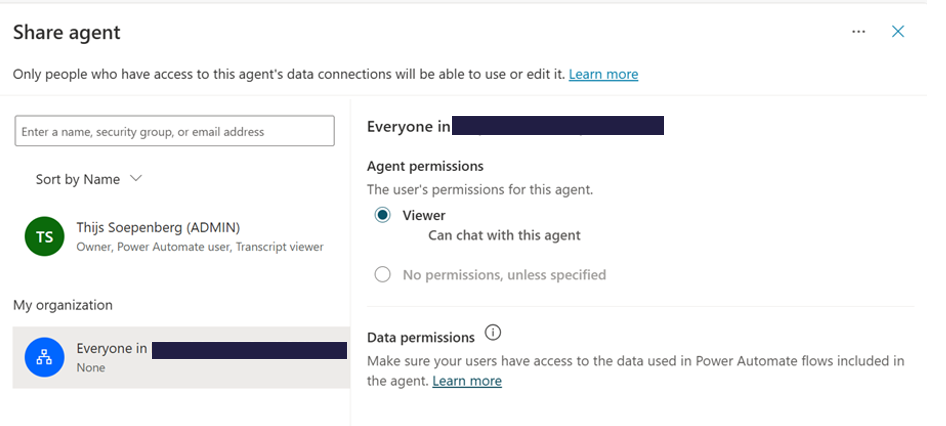
…my next attempt was successful. The agent responded normally from the external tenant.
🧩 Testing Authentication Behavior
While Microsoft states that authentication is not supported yet for multi‑tenant agents, I wanted to see what would happen if the agent attempted to access identity‑related properties.
To test this, I updated the greeting system topic to include variables such as User.Email and User.DisplayName.
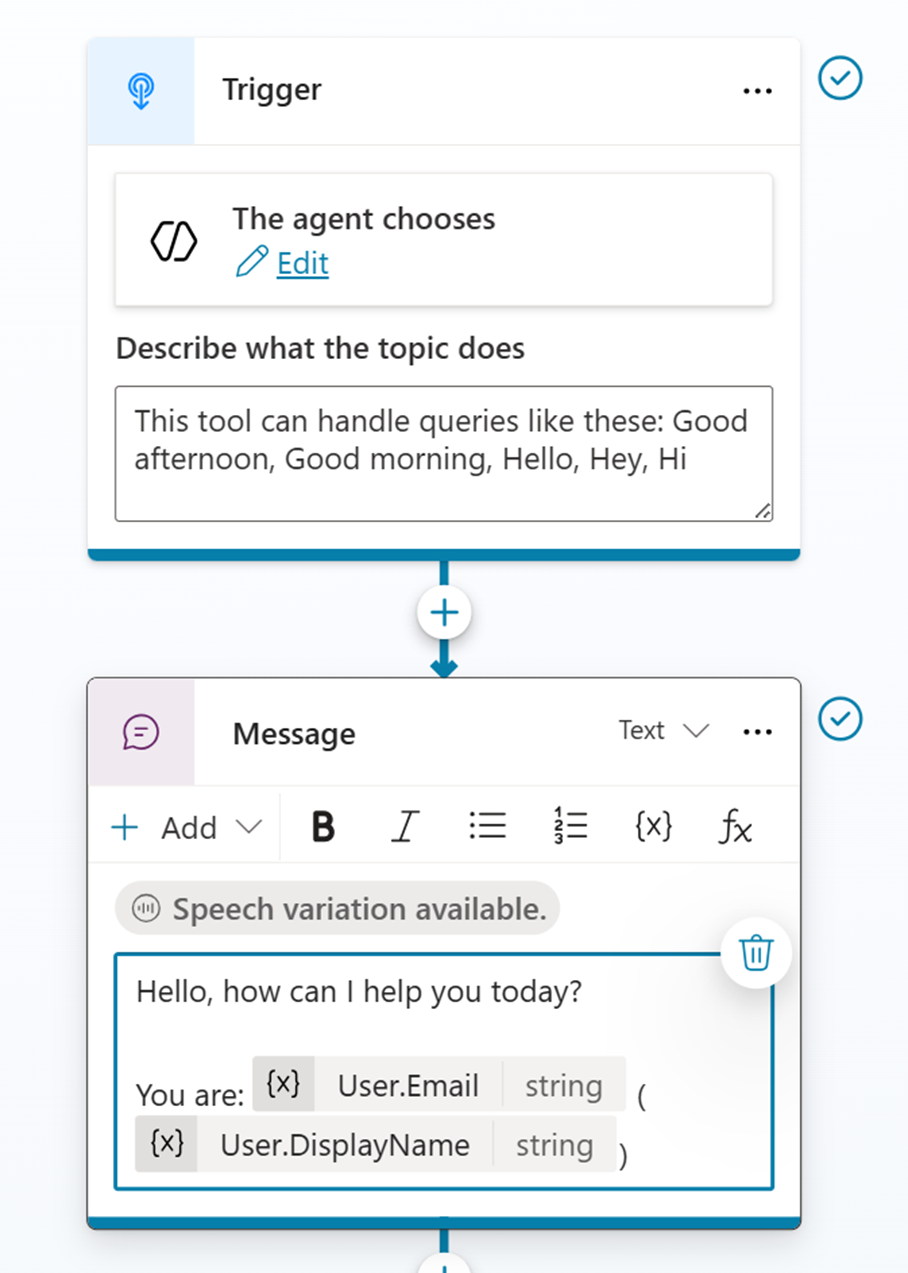
After republishing, I tested it again from the external tenant — this time, the agent returned an error:
AuthenticationNotConfigured
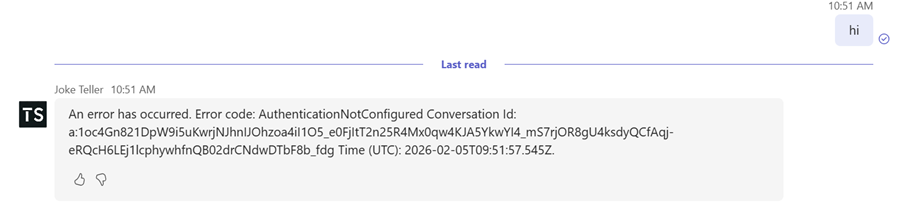
This confirms that identity binding is not available in multi‑tenant scenarios at this stage.
✔️ What Works (Today)
Here’s a quick summary of what currently works well:
- Publishing a Copilot Studio agent to an external tenant via Teams
- Using multi‑tenant mode even with tenant isolation enabled, provided an inbound exception exists
- Running the agent in a different tenant once organizational sharing settings are correctly configured
❌ What Does Not Work (Yet)
- Retrieving authenticated user properties such as email or display name
- Any scenario that relies on identity‑based workflows within external tenants
The platform throws AuthenticationNotConfigured, which aligns with the current documentation.
🎯 Final Thoughts
Even in preview, multi‑tenant mode is already showing strong potential. The ability to publish agents across organizations while still respecting tenant isolation enables new collaboration patterns, especially in ecosystems where multiple organizations need to interact.
Authentication support will be a critical next step, but for now, the foundation works. I’ll continue to explore these capabilities as they evolve and share new insights along the way.
One important aspect to keep in mind when sharing a Copilot Studio agent with external tenants is cost ownership. Even when the agent is consumed from another tenant (for example via Microsoft Teams), all usage is billed to the host tenant where the agent is created and published.
📚 Microsoft documentation
