Building Modern Apps with Power Apps Code Apps
A hands‑on journey from setup to deployment
Power Apps Code Apps have officially reached general availability, a big milestone for professional developers who want the freedom of full‑code development combined with the governance, security, and lifecycle management of the Power Platform. That was reason enough for me to dive in and build a simple end‑to‑end scenario: a Todo App, running on React, connected to Dataverse, and deployed to the Power Platform.
Below is a walkthrough of that experience, including what each screenshot represents along the way.
🔧 Step 1: Enabling Code Apps in Your Environment
Before writing a single line of code, your Power Platform environment needs Code Apps enabled via the feature settings (PPAC) in the environment. The screenshot shows the Code Apps setting toggled to ON, allowing apps created outside Power Apps to run inside the platform.

🧱 Step 2: Setting Up the Project Template
With the environment ready, I opened Visual Studio Code and cloned Microsoft’s Vite-based template using:
npx degit github:microsoft/PowerAppsCodeApps/templates/vite my-app
The terminal screenshots illustrate this step: first the cloning of the template and then authenticating successfully into my Power Platform environment using pac auth create.

📦 Step 3: Installing Dependencies
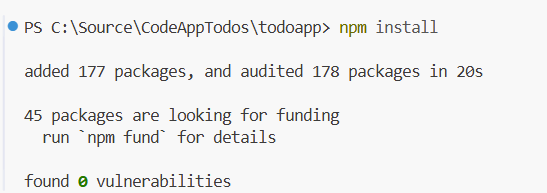
Running npm install pulled in all required packages, meaning we’re ready to start coding confidently.
🛠 Step 4: Initializing the Power Apps Project
Next, I initialized the project using:
pac code init --displayname "todo code app"
The screenshot confirms the successful creation of the power.config.json, which defines the Power Platform metadata for the app.
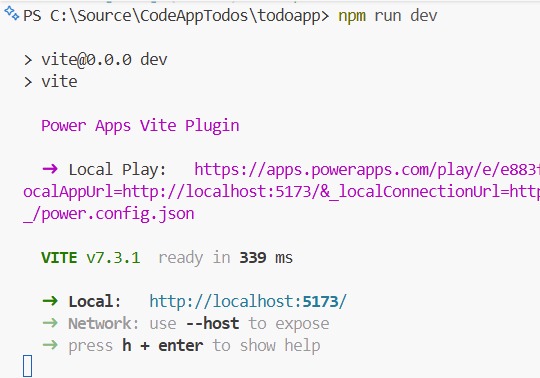
After initialization, running:
npm run devspins up the local Vite development server including a local play link that opens the app inside Power Apps.
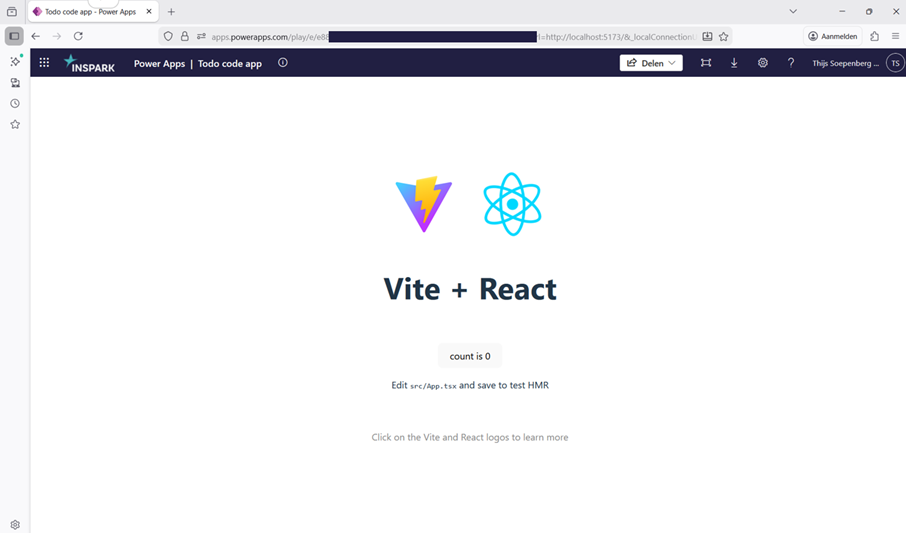
Opening the url in the browser shows the Vite + React starter UI running locally within the Power Apps player.
✏️ Step 5: Building the Todo App
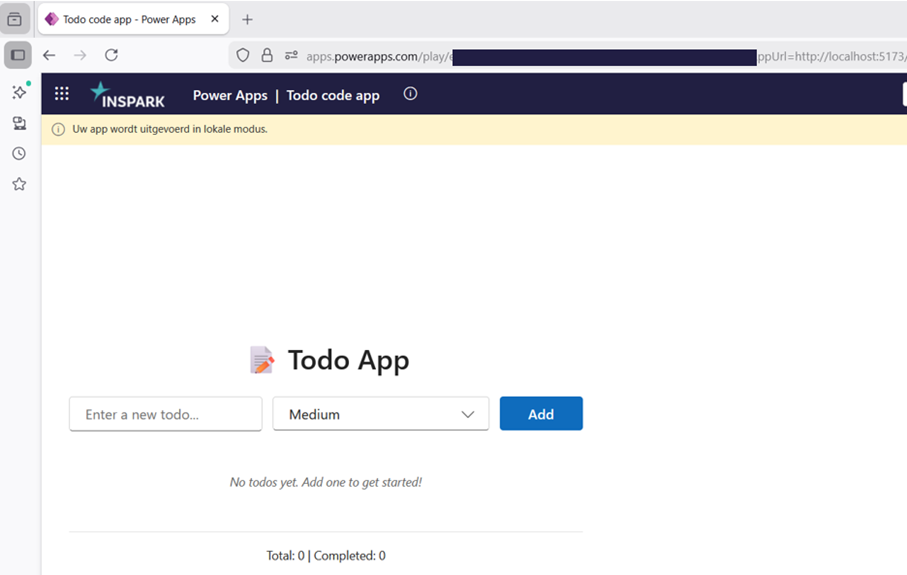
In the next screenshot, you can see the first version of the custom Todo App: an input field, priority dropdown, and an Add button. This demonstrates how Code Apps let you build your UI entirely in React while still hosted inside the Power Platform.
🚀 Step 6: Deploying the App to Power Platform
With the app functioning locally, it’s time to deploy using:
npm run build | pac code push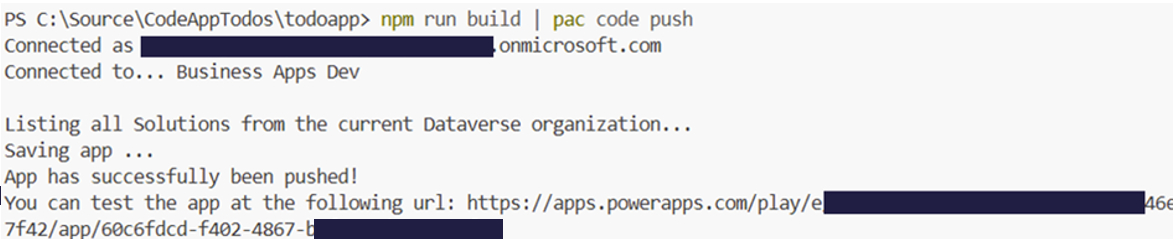
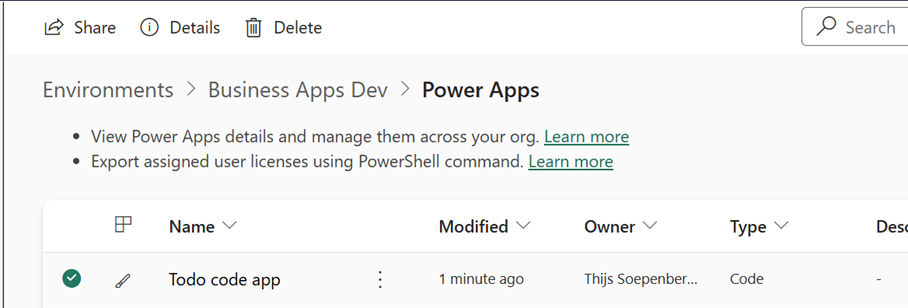
The terminal output confirms the app was pushed and provides the test URL directly in Power Apps. Another screenshot shows the app now visible in the Power Apps portal, fully recognized as a Code App resource.
🔗 Step 7: Connecting Dataverse
To make the Todo App mature, I added a Dataverse table to store the records in using:
pac code add-data-source -d dataverse -t ins_todos
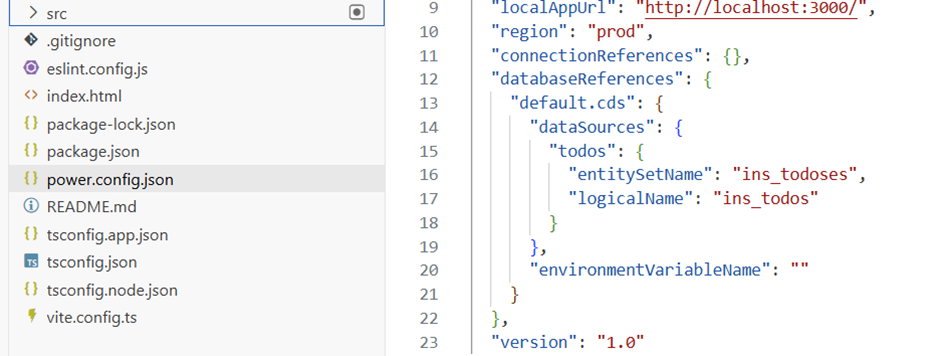
Todo app now running and connected to dataverse. The screenshot shows the updated power.config.json including the new datasource configuration.
📊 Step 8: Using the App with Real Data
The final screenshot confirms everything is wired up:
- The React frontend running inside Power Apps
- Dataverse providing the backend storage
- A new Todo item (“Build code app”) stored successfully as a Dataverse row
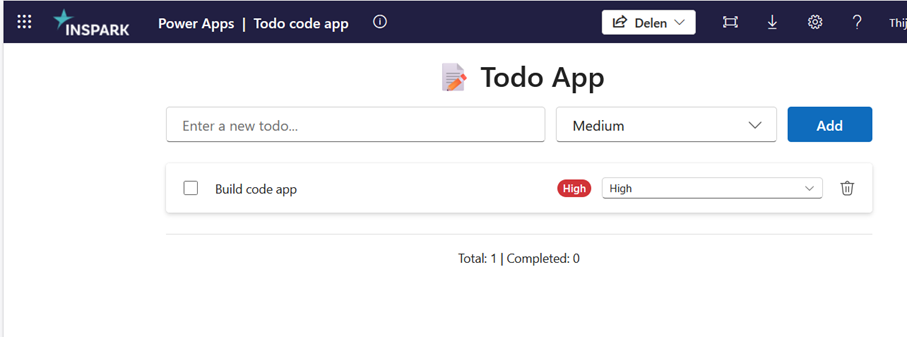
Data stored in a Dataverse table:
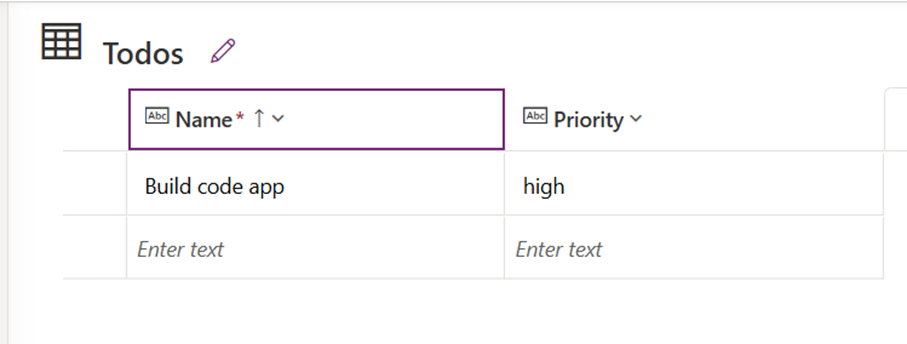
This demonstrates the seamless bridge between custom code and the Power Platform’s managed data layer.
🧩 Final Thoughts
Power Apps Code Apps unlock an entirely new development model inside the Power Platform. They're not low‑code apps, you build them with your own pro‑code stack (React, Vite, TypeScript, etc.). But they seamlessly inherit the strengths of the Power Platform, such as:
- Built‑in authentication & identity management
- Dataverse as a managed data platform
- 1,000+ available connectors
- Automation & orchestration via Power Automate
- Governance, compliance & DLP policies baked in
- Deployment & lifecycle management support
- Collaboration between pro‑code and low‑code developers
In a world where AI-assisted development accelerates the creation of custom applications, Code Apps provide the perfect bridge: full developer freedom combined with enterprise-grade governance.
📚 Microsoft documentation
